Welcome and members
Welcome & members greets people when they join your server, thanks the ones who boost it and posts a goodbye when someone leaves. Each message can be a post in a channel, a DM, a starting role, or all three.
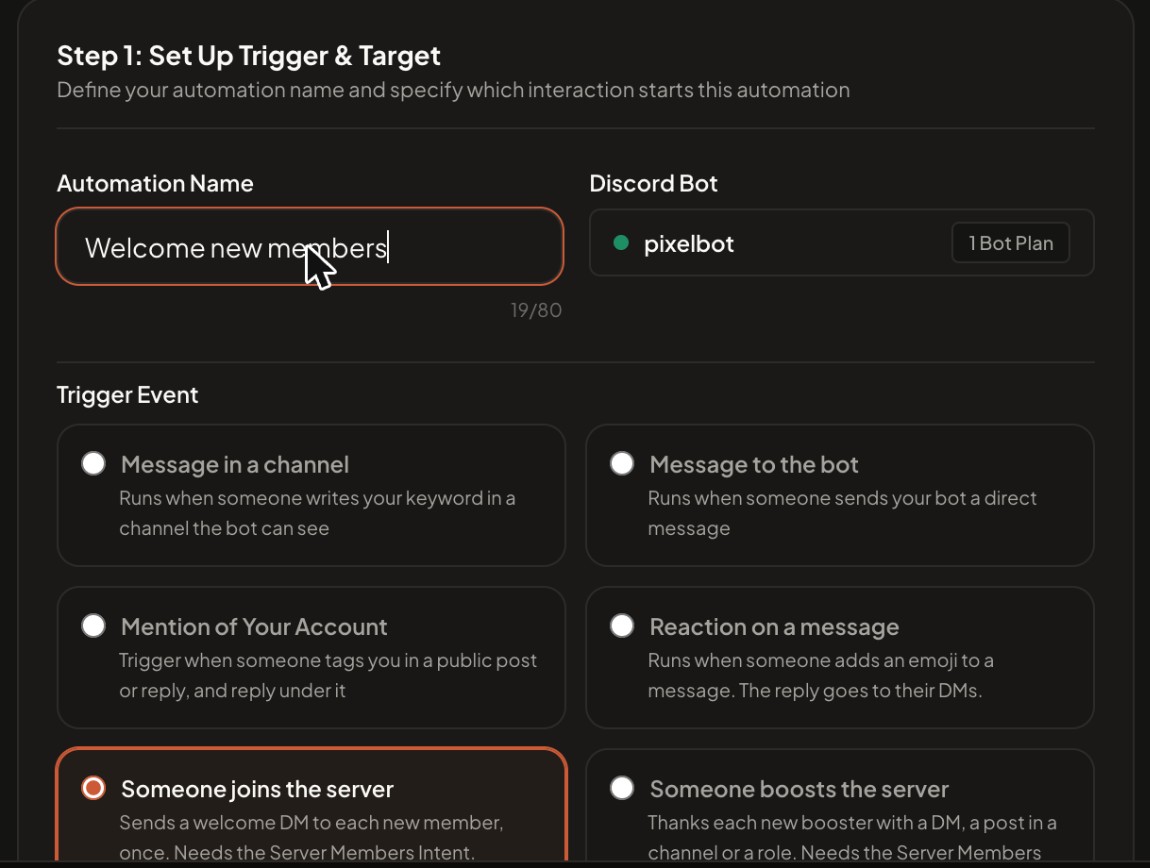
Press New welcome message to start. It opens the same three-step builder described in Create an automation, with the trigger already chosen. Welcome messages apply to All servers the bot is in, and you can limit one to some channels or roles (see Where and for whom).
Joins, boosts and leaves only arrive when Server Members Intent is on in the Discord Developer Portal. See Connect your bot.
What sets it off
| Trigger | What happens |
|---|---|
| Someone joins the server | Welcomes each new member once: a post in a channel, a role, a DM, or all three. |
| Someone boosts the server | Thanks each new booster: a post in a channel, a role, a DM, or all three. |
| Someone leaves the server | Posts a goodbye in a channel when a member leaves, is kicked or is banned. |
Discord does not let a bot message someone who has left, so a goodbye is only a post in a channel. Nothing is sent to the person.
What the bot does
For a join or a boost, switch on what you want in Step 2: What happens. You need at least one, and a DM is optional: most servers welcome and thank in a channel.
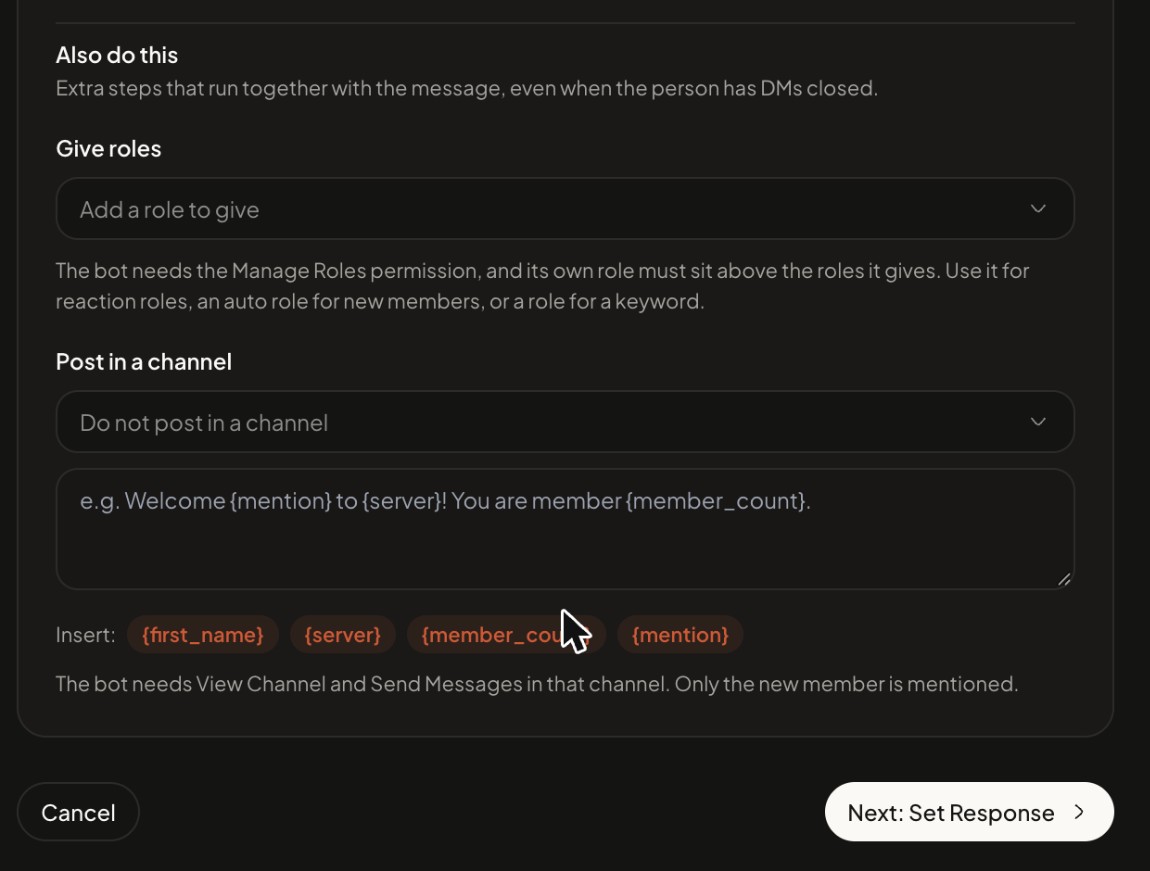
- Post in a channel. Pick a channel and write the post, for example
Welcome {mention} to {server}! You are member {member_count}.The bot needs View Channel and Send Messages there. Only the new member is mentioned. - Give roles. Add up to 10 roles to give. This is how an auto role for new members works. The bot needs Manage Roles, and its own role must sit above the roles it gives.
- Send a DM. Pick a saved template. If the member has DMs closed, the DM is skipped and the post and roles still happen.
The post and the roles do not depend on the DM, so they run even when the person has DMs closed. A DM counts toward your monthly automated replies; a post or a role does not.
Words you can use
| Word | Becomes |
|---|---|
{first_name} | The member's name in a welcome |
{mention} | A mention of the person |
{server} | Your server's name |
{member_count} | How many members the server has |
{name} or {username} | Their name, for goodbyes (a mention of someone who left often shows as unknown) |
Make it an embed
Every message can be a Plain message or an Embed card, the card with a coloured bar that servers use for welcomes, rules and announcements. For an embed you can set:
- The colour of the bar (the default or your own)
- A title, with a link on it
- A small picture in the corner: the person's avatar, the server icon, or an image link
- A big picture
- A footer, with a small picture next to it
- A small line above the title (the author)
- Fields: small titled blocks for rules, links or prices, up to three in a row
- Whether to show the time it was sent
- Text above the card. A mention only pings from here. Inside the card it shows the name without notifying the person.
The preview next to the editor shows the result as it will look in Discord.