Levels and Fan Mode
Levels is Fan Mode for Discord. Members earn points for being active, climb tiers, get roles and show off their place with /rank and /leaderboard.
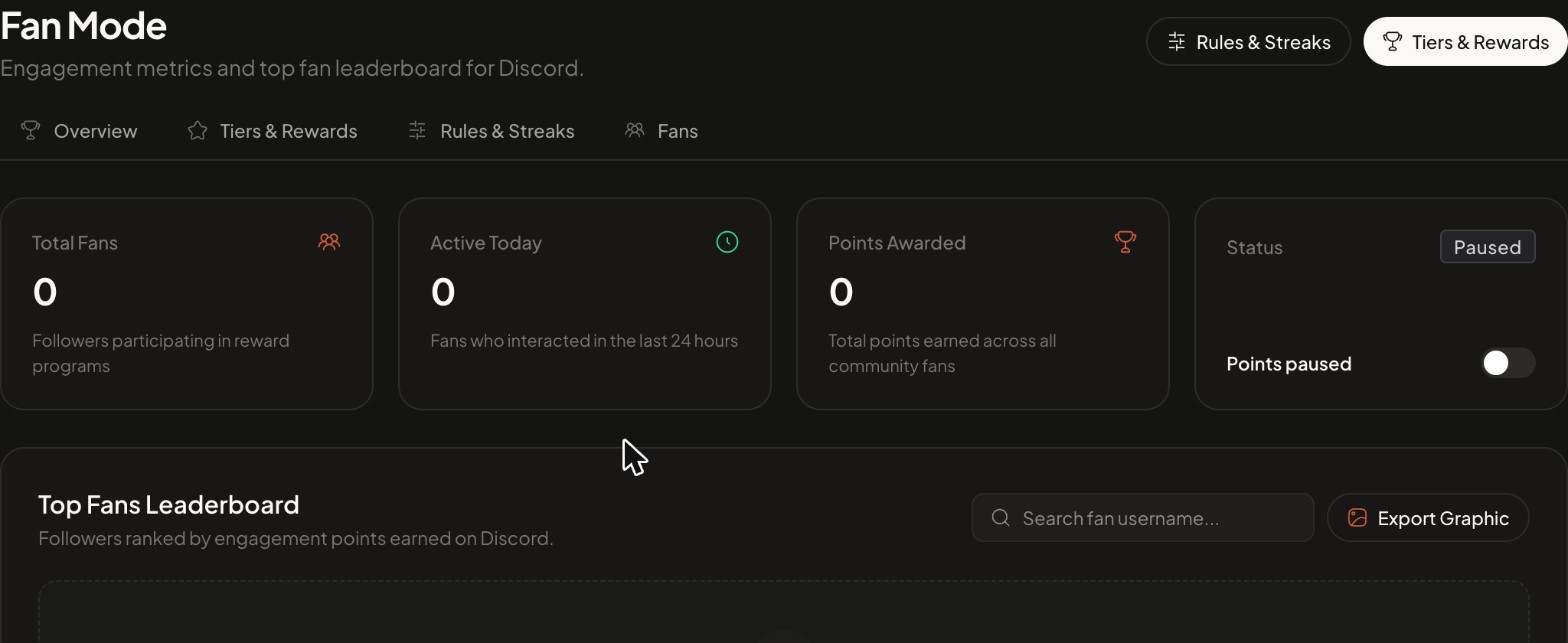
Open Levels in the Community section. Switch Points paused off to start counting points. The counters show total fans, fans active today and points awarded, and the leaderboard lists your top fans.
How members earn points
| Activity | Points |
|---|---|
| Writing a message in a channel | Set under Rules & Streaks |
| Mentioning the bot | Set under Rules & Streaks |
| Sending the bot a DM | Set under Rules & Streaks |
| Reacting to a message | 2 by default. Change it under Rules & Streaks |
- A person earns at most once a minute, so ten messages in a burst, or a message and a reaction a second later, count as one action.
- The daily cap from Fan Mode still applies on top.
- Joining, tapping a button and running a slash command earn nothing.
- Points belong to the bot, across all the servers it is in.
Tiers and roles
Under Tiers & Rewards you create tiers. On Discord each tier can give a Role: fans get it when they reach the tier and lose the role of the tier below. The bot needs Manage Roles, and its own role must be above it in the server's role list. Tiers follow lifetime points.
Level-up post
Celebrate in a server channel when a fan reaches a new tier. The DM to the fan stays as it is.
- Turn on Post when a fan reaches a tier.
- Pick a design to start from: Celebration, Spotlight, Classic or Minimal.
- Choose the Server and Channel, and edit the message.
- Optionally turn on Paint the card in the colour of the tier reached.
The message can use {mention}, {name}, {tier_name}, {previous_tier} and {points}. The bot needs View Channel, Send Messages and Embed Links in that channel. If a post fails, the reason is in the fan activity log.
Commands for members
| Command | What it shows |
|---|---|
/leaderboard | The top 10 fans of the bot. Everyone in the channel sees it, and nobody is pinged. |
/rank | A card with the member's points, tier, place on the leaderboard and the way to the next tier. Pick another member to see theirs. |
While Fan Mode is on, no automation can use the command name leaderboard.