Get contacts
The more people who write to you first, the more you can talk to them for free and the more people you can reach later. Get contacts gives you three ready-made ways for people to start a WhatsApp chat with you.
Open Get contacts in the WhatsApp menu.
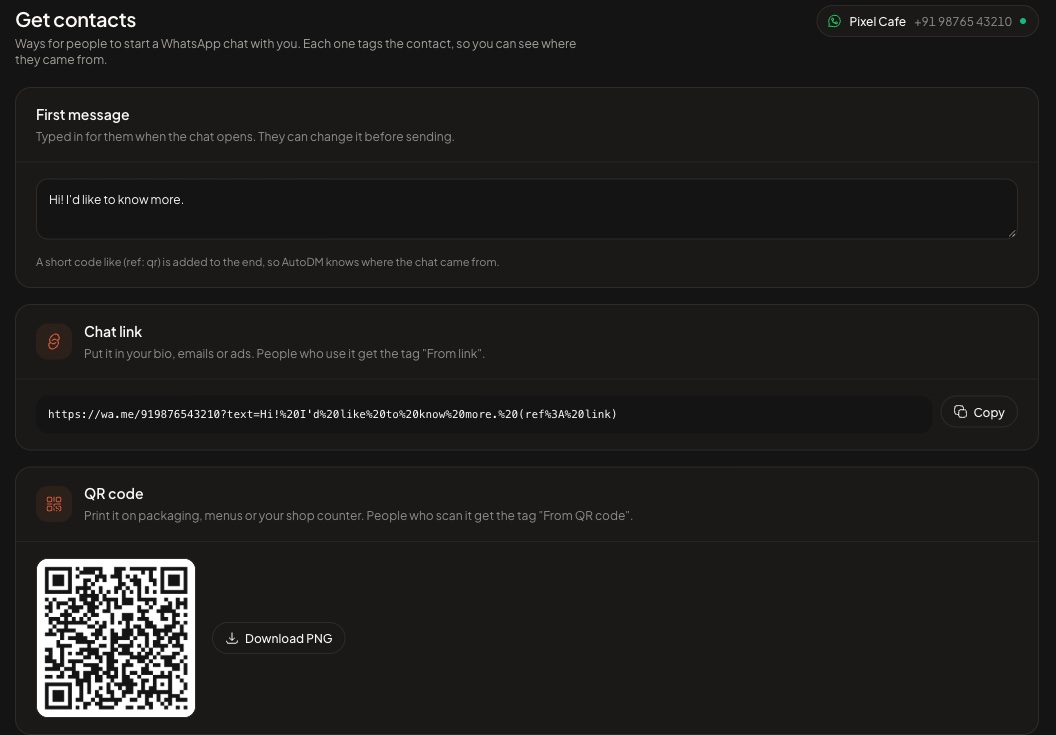
First message
All three start the chat with a message already typed in for the person, like "Hi! I'd like to know more." They can change it before they send it. Write your own under First message.
At the end of the message, AutoDM adds a short code like (ref: qr). That is how AutoDM knows which of the three the person used, and tags them:
| Where they came from | Code | Tag on their contact |
|---|---|---|
| Chat link | (ref: link) | From link |
| QR code | (ref: qr) | From QR code |
| Website chat button | (ref: web) | From website |
Use the tags to send these people a campaign or a welcome drip sequence, or to answer them with a First message automation. If someone deletes the code before sending, the chat still starts, just without the tag.
Chat link
A link that opens a chat with your number, like https://wa.me/919876543210?text=.... Press Copy and put it in your Instagram bio, emails, ads or anywhere people can tap it.
QR code
The same link as a QR code. Press Download PNG and print it on packaging, menus, bills, flyers or your shop counter. Scanning it with a phone camera opens the chat.
Website chat button
A green WhatsApp button in the corner of your website. Tapping it opens a chat with your number.
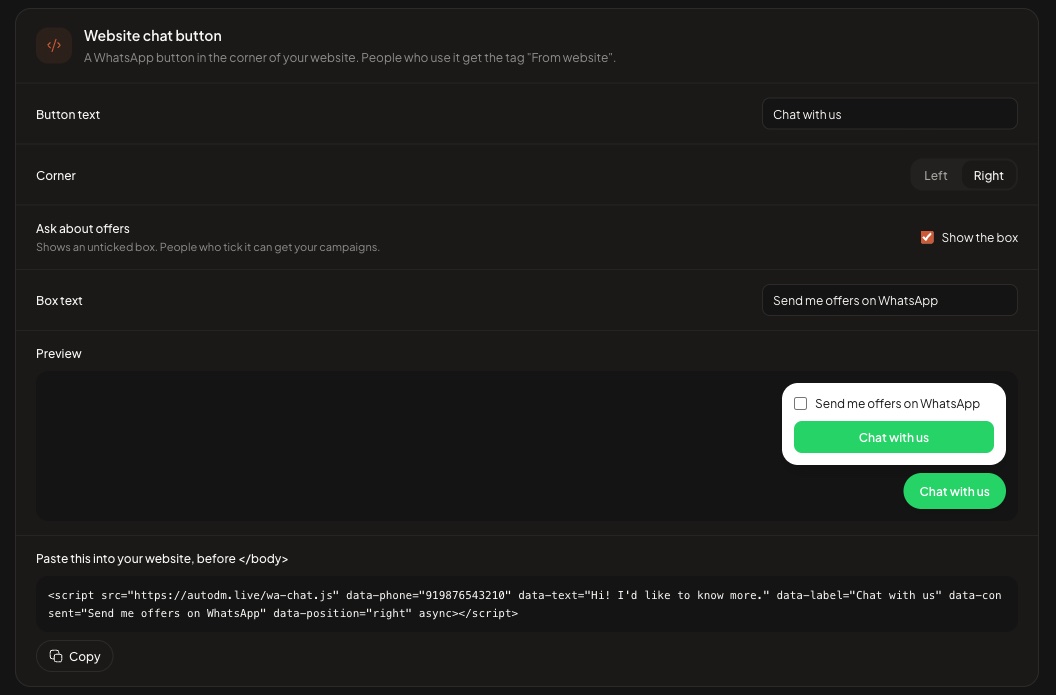
- Button text, like "Chat with us".
- Corner: Left or Right.
- Ask about offers (optional): shows an unticked box, like "Send me offers on WhatsApp", above a start button. Change the box text if you like.
- Check the Preview.
- Copy the code under Paste this into your website, before </body> and add it to your site. On website builders, look for a setting called "custom code", "footer code" or "embed code".
The button is a small script. It sets no cookies, tracks nothing and sends nothing to AutoDM. It only opens WhatsApp.
The offers box
If someone ticks the box before starting the chat, the message ends with (ref: web+offers), and their contact is marked as agreed to marketing, with Website chat button as where they agreed. They can then get your campaigns.
- The box is never ticked for them. Only people who tick it themselves are marked as agreed.
- Someone who replied STOP before stays opted out, even if they tick the box.
- People who leave it unticked can still chat with you. They just do not get marketing.
When you change the button text, the box text or the first message, copy the code again and replace the old one on your site.