Segments and drip sequences
Both are part of Business Max.
- A segment is a saved group of people, like "has the tag
vipand wrote to me in the last 30 days". Pick it when you start a campaign. - A drip sequence sends a few templates one after the other over several days, like a welcome series for new customers.
Segments
Open Segments in the WhatsApp menu and press New segment.
Give it a name and add one or more rules. A person must match every rule you add.
| Rule | Example |
|---|---|
| Has tags (any of these, or all of these) | Any of vip, repeat |
| Custom field is, contains, or is filled in | city is Pune |
| Wrote to you in the last so many days | 30 days |
| Read or did not read a campaign | Did not read "Diwali offer" |
| Clicked or did not click the link in a campaign | Clicked "New arrivals" (needs click tracking) |
Press Check how many match to see the count before you save, then Save segment. You can keep up to 50 segments per number.
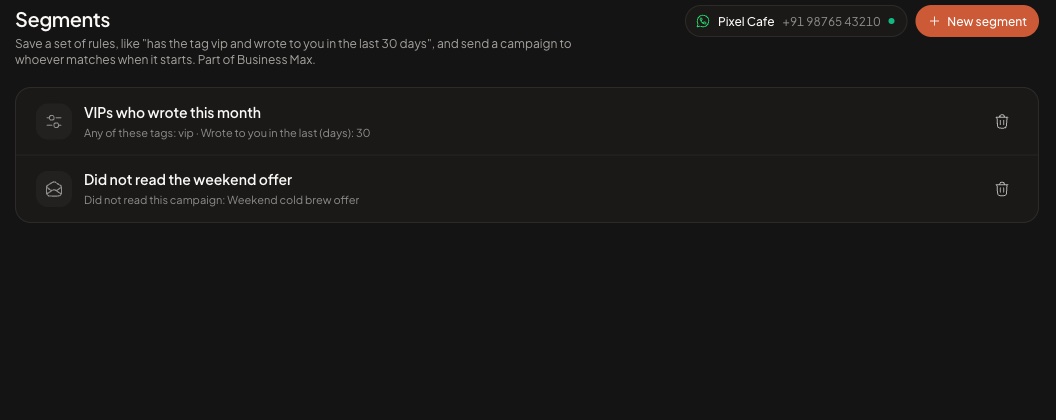
A segment is not a fixed list. Who is in it is worked out again each time a campaign starts, so new people who match are included. People who have not agreed to marketing or who opted out are always left out of the campaign, even if they match.
Drip sequences
Open Sequences in the WhatsApp menu and press New sequence.
- Sequence name.
- Who enters. Choose one:
- People who get this tag. Anyone who gets the tag joins, for example everyone tagged
new customer, or From website for people who start a chat from your website button. Tick Also take in people who already have the tag to include people tagged before you turn the sequence on. Otherwise only people who get the tag from now on join. - People I add by hand. You pick the people yourself after turning the sequence on (see Add people by hand).
- People who get this tag. Anyone who gets the tag joins, for example everyone tagged
- Steps. For each step, choose a template, fill in its values (the same way as in a campaign), and set Wait before it (hours). The wait of the first step counts from when the person joins. Each later wait counts from the step before.
- Stop when the person writes back (recommended). Someone who replies leaves the sequence, so they get a real answer instead of the next scheduled message.
Press Save sequence, then Turn on. Pause stops it for everyone. People already in it continue when you turn it on again.
Add people by hand
For a sequence set to People I add by hand, turn it on, then press Add people on its card. Search your contacts, tick the people to add, and press Add selected.
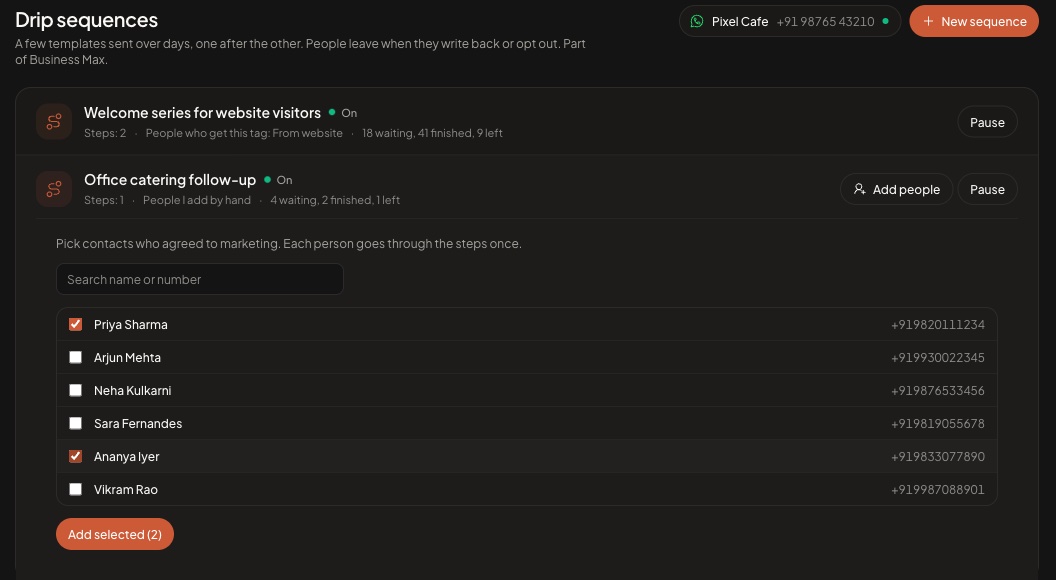
Only contacts who agreed to marketing are listed. AutoDM tells you how many were added, and how many were skipped because they were already in the sequence or have no number to reach.
Who leaves a sequence
A person leaves when:
- they finish every step,
- they write back (if Stop when the person writes back is on),
- they opt out of marketing or have no marketing consent when their next step is due, or
- a message to them fails.
Each person enters a sequence only once. Removing the tag and adding it again does not start it over.
The sequence card shows how many people are waiting for their next step, have finished, and have left. If a sequence stops by itself, for example because a template is no longer approved, it shows Paused and the reason. Fix it and turn it on again.